Springboard is very delighted to have partnered with Criteria Corp as of our third party assessment providers. This integration would allow seamless usage to your Springboard recruitment pipeline.
Setting up the Integration
Please contact Springboard support agent to set-up the Criteria Corp Integration to your Springboard instance.
Using the Integration
Adding assessments to a Job
1. The recruiter initiates an assessment from the standard candidates’ job grid by selecting “Assessments/ Check” -> “Request 3rd Party Assessment” from the right click menu.
2. The recruiter can view all the available 3rd party assessments. The recruiter selects “Criteria Corp” from the dop-down.
3. The recruiter fills up the assessment request form and clicks on “Request Assessment” at the bottom of the page to send out the assessment to the candidate.
4. The assessment progress and status could be monitored under the “Forms” tab -> “Assessment Details”.
Inviting Candidates
1. The candidate receives an email with the assessment link.
2. The candidate clicks on the link and is redirected to the assessment webpage.
3. The candidate is asked to verify their details and event-ID is generated.
4. The candidate can start the assessment by clicking on “Continue”.
5. The candidate is first asked to do a tutorial and then taken to the actual assessment.
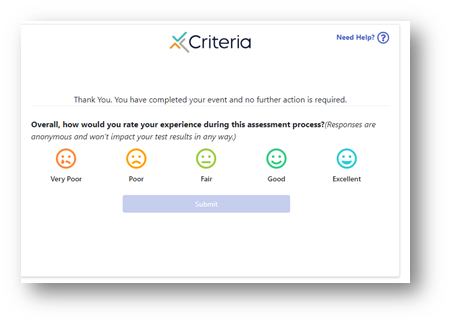
6. At the end of the assessment, the candidate is asked to rate experience.
Viewing Results
The candidate results could be viewed from Springboard under candidate’s Form tab -> Assessment Details as shown in the screenshot below.
Clicking on “View Report”, takes the user to new tab with detailed report opened.